Make your first board
The Board Builder makes a whole set of matched AAC boards for one communicator in a few minutes. It walks you through it step by step, so you're not staring at a blank screen wondering where to start.
More short walkthroughs are in the video library.
What you'll need
- A free SpeakAnyWay account
- A computer, tablet, or phone with a web browser
- A communicator to build for, and a sense of what they're into — favorite foods, characters, daily routines, anything that comes to mind
That's it. Volume up.
Steps
- Sign in at app.speakanyway.com and open the Board Builder (
/board-builder). - Who are we building for? Pick the communicator this board set is for. No communicators yet? There's an Add a communicator first link. If you'd rather not decide now, choose Not now — I'll assign it later and attach the set to someone afterward.
- How much vocabulary? Choose how big the set should be — a focused Starter set, a Standard foundation, or a fuller Extended set. SpeakAnyWay shows you the options and roughly how many boards each one builds.
- What does [name] love? Pick interests from the categories shown — and add your own in the text box for anything not listed (bath time, Grandma's house, dinosaurs). The more specific you are, the better the boards.
- Click Review to check your choices on the Ready to build step, then Build the boards. (If this communicator already has a set, you'll be asked whether to Replace existing set or Build another.)
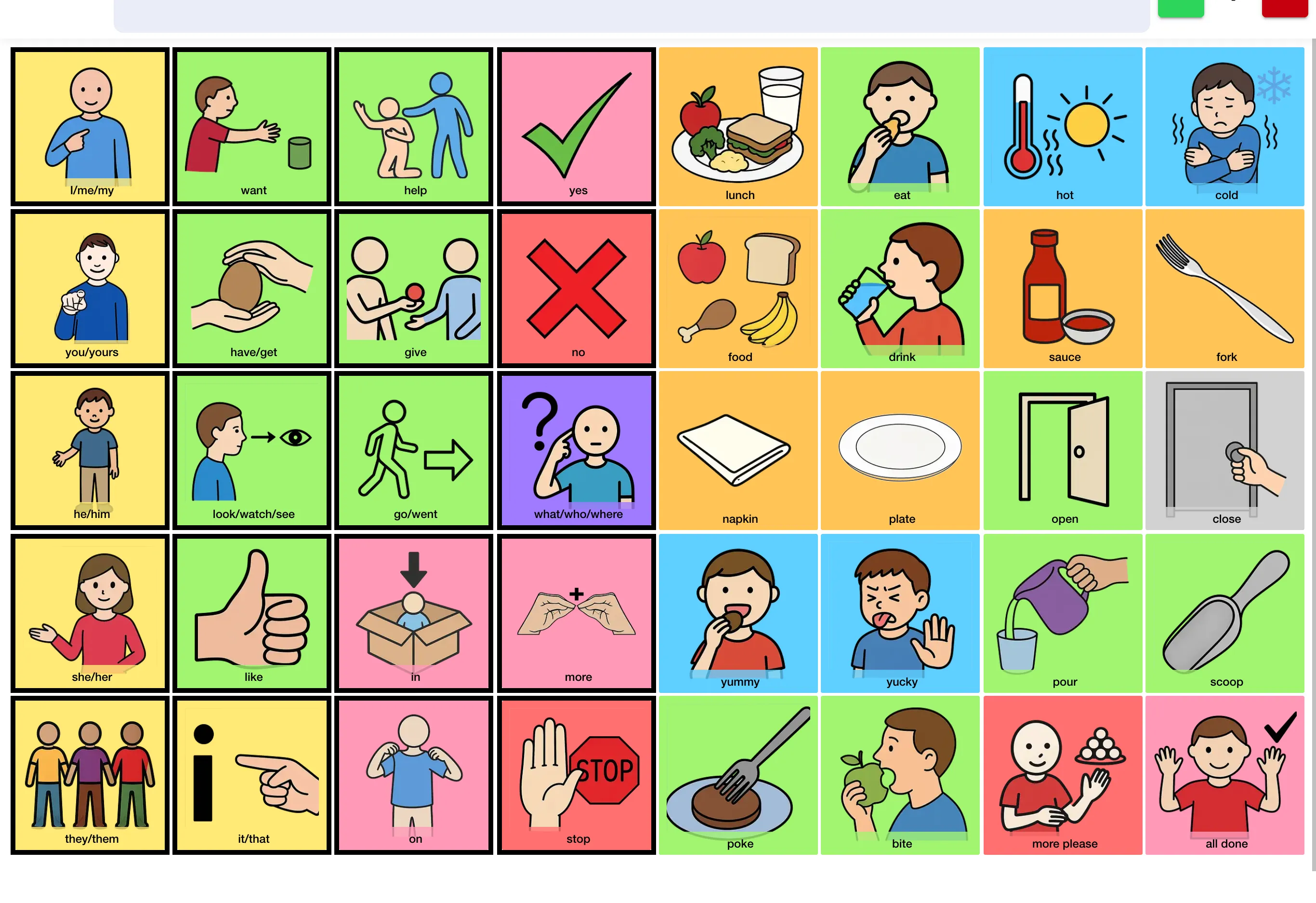
- Wait a few seconds while SpeakAnyWay builds the set. You'll see boards appear with images and words.
- Open the set and tap (or click) any cell. The cell speaks the word out loud. (Turn up your volume if you don't hear anything.)
When it's done
You'll land on a status page with a few next steps:
- Open board — start using it right away.
- View the map — see how the boards in the set link together.
- Edit board — swap words and images, rearrange cells. See Edit a board.
- Download PDF — print the board on paper for a backup (handy when the iPad's dead). To print the whole set as a book or flip book, see Print a board.
This is a working AAC board set — your communicator could use it right now.
What to expect
- The first set is a starting point, not a finished thing. SpeakAnyWay generates words and matched images based on the interests you picked. Expect to swap a few images and tweak a few words once you see how your communicator reacts.
- If the images don't look right, regenerate them. In the board editor, select the cells you want, tap AI images, and choose Regenerate for fresh art. Each run costs 3 AI credits, and every plan comes with a monthly pool — see AI credits and costs. Boards only turn read-only when an account has more boards than its plan includes. When that happens, your most recently updated boards stay editable, and you can choose which one to keep editable.
- You don't need to finish today. One set, one tap, one yes. That's enough for day one.
Common questions
- Do I need an account? Yes — sign in first so SpeakAnyWay can save your boards. A free account works. You can pick a communicator now or assign the set later. Every board in the set uses one of your plan's board slots, so a smaller set fits best on Free.
- The board has a word my child doesn't say. Edit it — see Edit a board. A cell's display label, part of speech, and image are all editable. The spoken word is fixed once the cell exists — to change what it says, add a new image with the word you want.
- The image doesn't match what we have in real life. Swap it, or regenerate it. You can also upload a real photo from your phone — works great for Mom's car, my school, our dog.
- The voice doesn't sound right. Change it on the board itself (Edit → Settings → Voice & Language), or set a default in Settings → Voice & speech. See Pick a voice.
- Can I print the boards? Yes. Open the board's ⋯ menu in the editor and choose Print…. You can print one board on a single page, or (on paid plans) the whole set as one file, a tabbed book or a flip book. See Print a board.
Was this helpful?